IO
Interaction Design / Creative Coding / Machine Learning
Networked Experiments
While searching for solutions for libraries for natural language analysis and other comparative learning methods that can access a wider audience instead of the regular academic circles (python, matlab, etc), I ended up with web technologies. Since training data, databases, corpuses and other material are quite huge, these tools are available on the server side, calculations and analysis, data manipulations are happening on the server. This can be done on a local machine, but then we are still in the same situation: it can't be distributed to others. So I ended up deploying apps to Heroku, based on NodeJS and node package manager. There are interesting modules available for natural language processing, advanced sound analysis and general machine learning tasks. Not to mention, that literally all web APIs can be accessed with ease of use and only a few lines and functions (compared to my PHP workarounds with Twitter from my last post).
These npm packages can be easily connected with local applications of all type of languages including OpenFrameworks, Processing, PureData or others using OSC or json requests, however at the moment I am planning to use the p5js library for user interface & realtime interaction on the client side so everything can be tried out in the wild immediately.
I continued experimenting with the twitter api, using ntwitter and sentiment packages for analyzing the mood of certain timelines and search queries. It's usage is really simple, after setting up the credentials and consumer keys on Twitter and deploying the app to Heroku, there is only one function that is responsible for the whole streaming and analysis:
app.get('/chk', function(request, response) {

	    var stream;

	    var phrase = 'FAKE NEWS';

	    tweeter.verifyCredentials(function(error, data){

	        if(error) {

	            response.send('Error connecting to Twitter: ' + error);

	        }

	        stream = tweeter.stream('statuses/filter',{

	            'track':phrase

	        }, function(stream) {

	            response.send('ready');

	            stream.on('data', function(data) {

	                testTweetCount++;

	                if (data.lang === 'en') {

	                       sentiment(data.text, function (err, result) {

	                       tweetTotalSentiment += result.score;

	                       if(testTweetCount % 10 === 0) {

	                           console.log(data.text + '\n' +

	                           tweetTotalSentiment / testTweetCount + ' --- '

	                           + sentimentFace());

	                      }

	                    });

	                  }

	            });

	        });

	    });

	});
This function gets the results from the stream continuously when got the '/chk' parameter in the url, and adds each new finding after every 10th tweet with an averaged sentiment as you can see below:
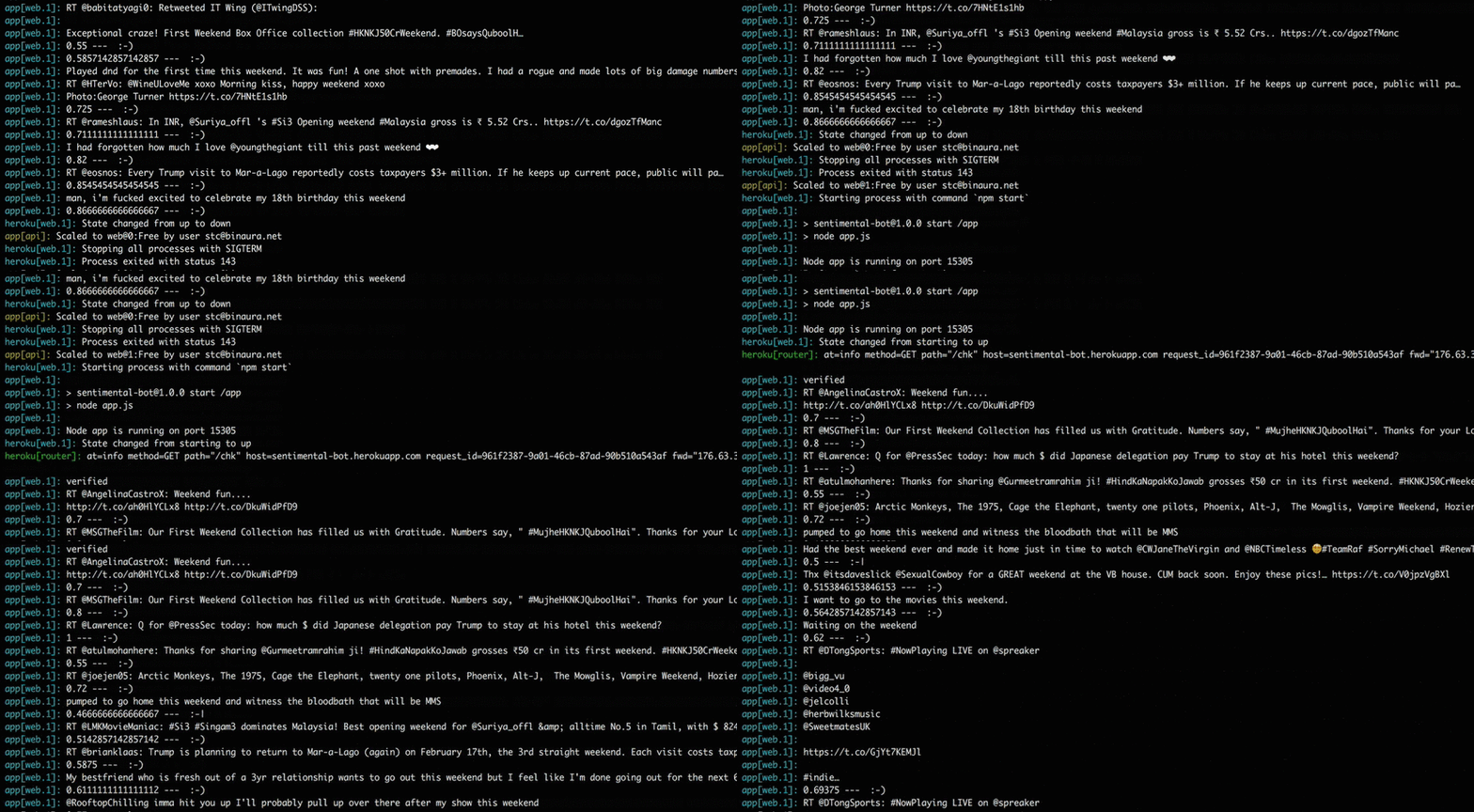
Sentiment analysis of the search term "weekend": averaged value is above 0.5, which leads to an excited, positive state, signed with a :-)
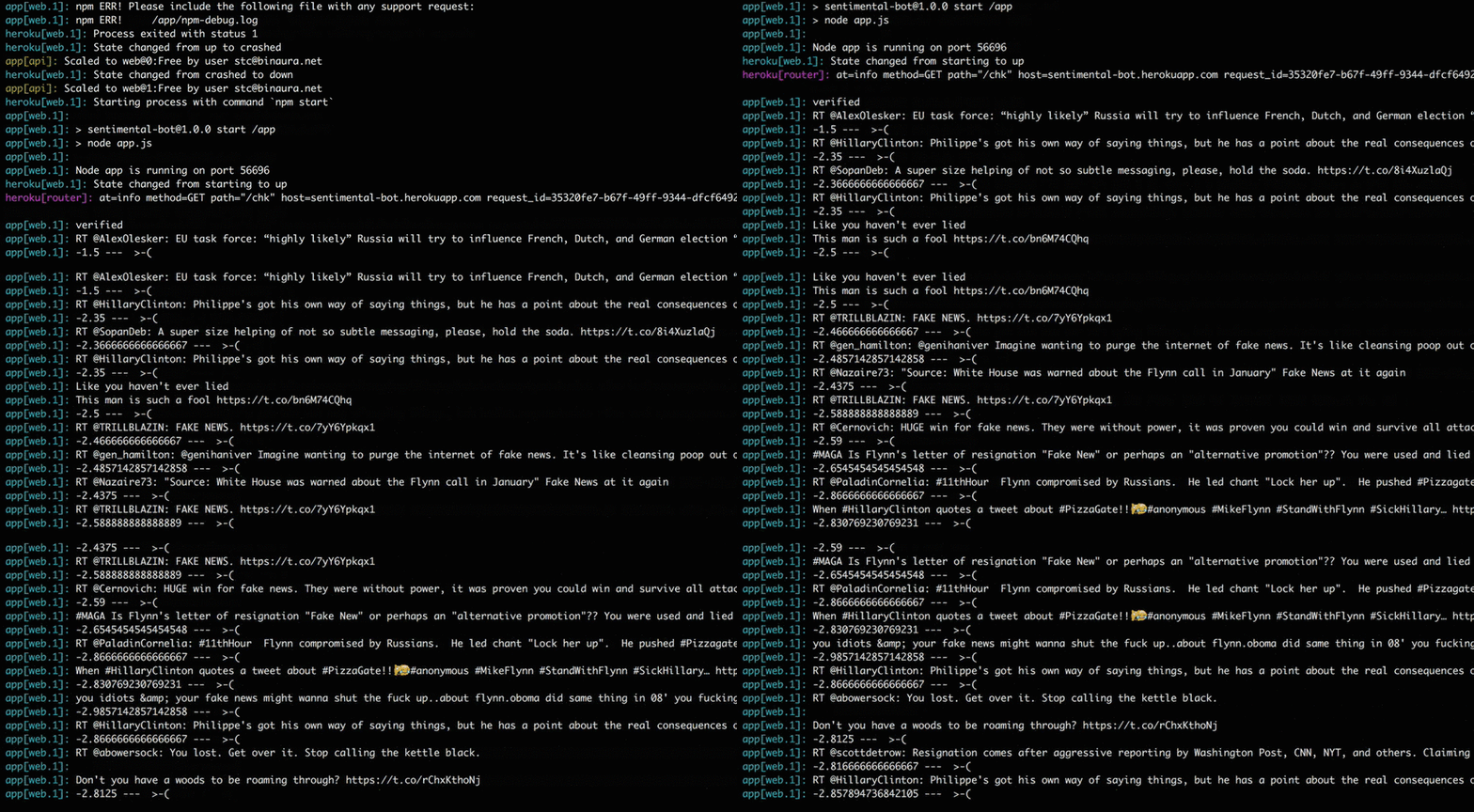
Sentiment analysis of the search term "fake news": averaged value is below -0.5, which leads to a negative, angry state, signed with a >-(
Sentiments can go below -0.5 (angry), +0.5 (excited) and neutral (in-between). At first glance it works well, the only problem is that it is a super basic analysis tool that lacks negotiating, bigrams, stemming, and tons of other nlp techniques that is needed to achieve realistic results, so I plan to try the natural package for the following experiments, heading to string distances, classification and clustering.
Realtime visualization of the server side app needs constant syncing with the p5js client side, so I also started working on another tool for connecting clients to a server and transferring data between them in realtime, using the socket.io module. If you head to the p5js site you can see an example on how to draw to the same canvas from multiple clients collaboratively, in real time. I took this example and deployed to Heroku, so now you can try it and draw together with other clients here. Open many browser windows or open the link from other machines to try the sockets in action.
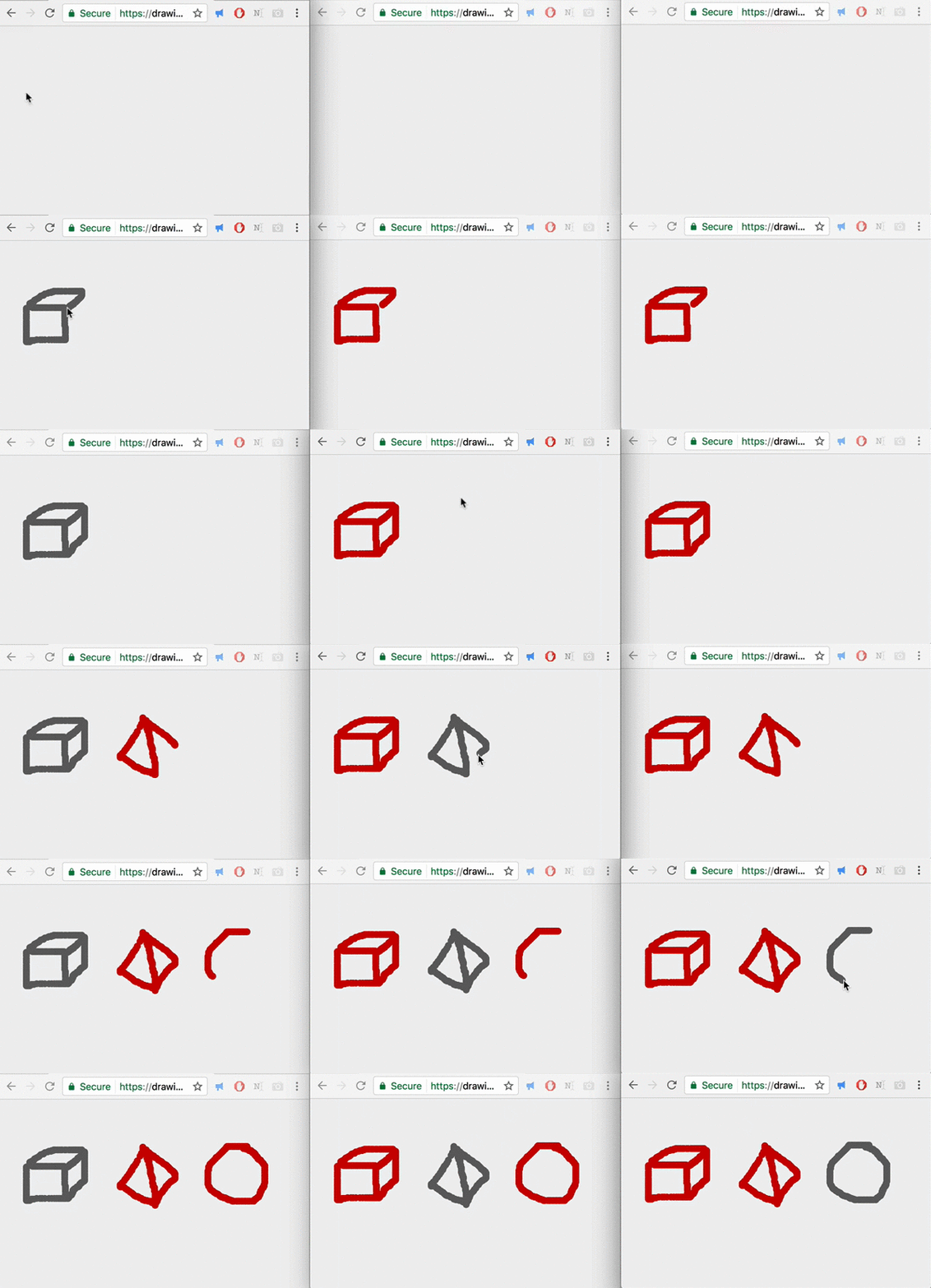
Drawing in multiple client windows / data is shared with each instance on the server
This app is really simple, there is a small script running on the server, listening and handling socket connections:
var express = require('express');

	var app = express();

	var server = require('http').Server(app);

	var PORT = process.env.PORT || 3000;
app.use(express.static(__dirname + '/public'));
server.listen(PORT);
console.log('Server started on port ' + PORT);
app.get('/', function (req, res) {

	    res.sendFile(__dirname + '/public/index.html');

	});
var io = require('socket.io').listen(server);
io.on('connection', function (socket) {

	    console.log("New client!");

	    socket.on('mouse', function (data) {

	     socket.broadcast.emit('mouse', data);

	    });
  socket.on('disconnect', function () {

	      console.log("Client has disconnected");

	  });

	});
And the following p5js sketch is running in the browser, receiving broadcasted data, and sending x,y values of the cursor for further broadcasting when the mouse has been dragged. This can be opened in many instances on many devices:
var socket;
function setup() {

	  createCanvas(window.innerWidth, window.innerHeight);

	  background(240);
socket = io.connect();

	 socket.on('mouse', function (data) {

	    fill(0,255,0);

	    noStroke();

	    ellipse(data.x,data.y,10,10);

	  });

	}
function draw() {}
function mouseDragged() {

	  fill(255);

	  noStroke();

	  ellipse(mouseX,mouseY,10,10);

	  sendmouse(mouseX,mouseY);

	}
function sendmouse(xpos, ypos) {

	  var data = {

	    x: xpos,

	    y: ypos

	  };
  socket.emit('mouse',data);

	}
No conclusion, work in progress.